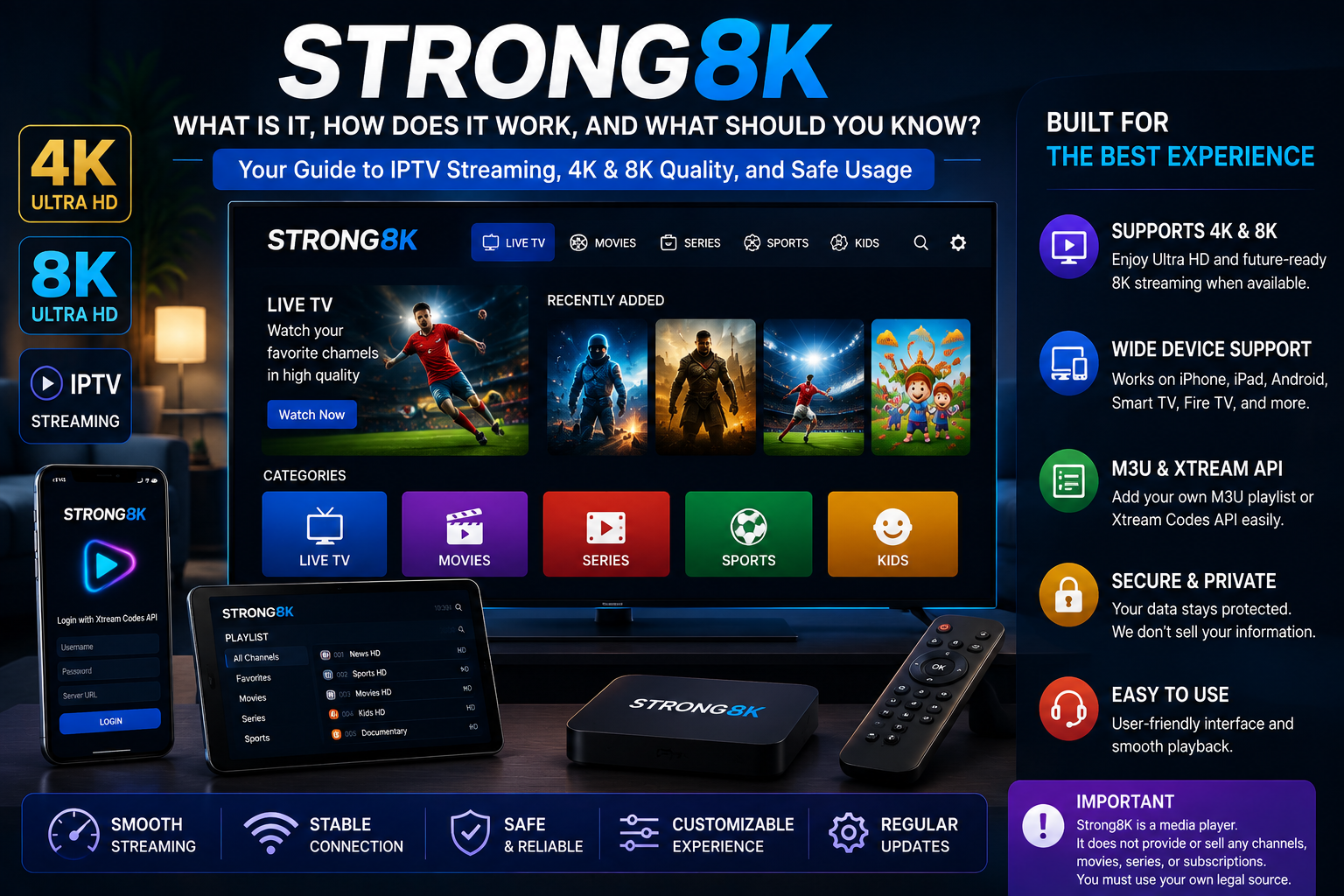
If you have recently searched for Strong8K, you may be wondering what the name means, how it works, which devices support it, and whether it is an IPTV service, a media player, or something else.
The answer is important because the name Strong8K appears online in more than one context.
One current Strong 8K website describes an iPhone and iPad media player that allows users to add their own legal M3U or Xtream source. The site explicitly states that the player itself does not provide or sell television channels, movies, series, or subscriptions.
Other websites use the Strong8K name in connection with IPTV subscription services. Because these are not necessarily the same product or company, consumers should identify the exact website or application they are researching before providing personal information or making a purchase.
This guide explains what Strong8K can refer to, how IPTV media players work, supported devices, 4K and 8K terminology, internet requirements, safety considerations, and what to check before using an IPTV-related service.
What Is Strong8K?
Strong8K is a name associated with IPTV and streaming-related products and websites.
However, it is important not to assume that every website using the Strong8K name represents the same service.
For example, one Strong 8K website describes its product as a media player for iPhone and iPad running iOS 17 or later. The application supports common formats such as HLS, M3U8, TS, MKV, and MP4 and allows users to supply their own legal source.
Other websites using the Strong8K name advertise IPTV subscriptions and describe access to live channels and video-on-demand content.
Therefore, the first step when searching for Strong8K is to identify exactly which product or website you mean.
Strong8K IPTV vs Strong8K Media Player
This distinction is particularly important.
A media player is software that plays a video source supplied by the user.
An IPTV service may provide the source itself, depending on its business model and rights.
The Strong 8K media-player website states that its application does not host, provide, or sell channels, movies, series, or subscriptions. Instead, users provide their own legal M3U link or Xtream account.
This means that installing a media player does not automatically give you access to television programming.
The content source and the player are separate components.
How Does an IPTV Media Player Work?
A typical IPTV media-player setup can contain several elements:
- A compatible device
- A media-player application
- An internet connection
- A legal content source
- Login credentials or a playlist when required
The player receives the source and processes the stream so that it can be displayed on the device.
For example, the Strong 8K player documentation says that users can add an M3U link or log in with an Xtream account.
This is different from a traditional television receiver because the content is delivered through an internet connection.
Which Devices Can Strong8K Work On?
Device compatibility depends on which Strong8K product or service you are referring to.
The Strong 8K media-player website specifically describes support for:
- iPhone
- iPad
- iOS 17 and later
The application also supports common streaming and media formats.
Other websites using the Strong8K name advertise compatibility with additional platforms, including Smart TVs, Android devices, Fire TV, Apple devices, computers, and TV boxes. Because these claims come from different websites, users should verify compatibility on the exact service they are considering.
If you are comparing IPTV applications for different devices, explore our IPTV on iPhone guide for additional information about mobile IPTV playback.
Strong8K on iPhone and iPad
The official Strong 8K media-player website currently focuses on iPhone and iPad.
It describes the application as being designed specifically for iOS 17 and later and includes features such as:
- Streaming playback
- Audio-track selection
- Subtitle controls
- Playback-speed controls
- Parental controls
- Multiple language support
- Demo Mode
The application also allows users to test its interface with sample content through Demo Mode before adding their own source.
This can be useful for understanding an important distinction:
Testing a media player is not the same as testing an IPTV subscription.
What About Smart TV Compatibility?
Smart TV compatibility depends on the specific Strong8K product or service.
Different television platforms use different operating systems, application stores, and playback capabilities.
Before installing an IPTV application on a Smart TV, check:
- TV operating system
- Application availability
- Supported login method
- Video formats
- EPG compatibility
- Internet requirements
- Privacy information
Does Strong8K Support 4K or 8K?
The terms 4K and 8K describe video resolution.
4K commonly refers to approximately 3840 × 2160 pixels on consumer televisions.
8K commonly refers to approximately 7680 × 4320 pixels.
However, the name “8K” by itself does not guarantee that every video source is native 8K.
A genuine high-resolution viewing experience depends on:
- Original video source
- Display resolution
- Device hardware
- Application support
- Video codec
- Available bandwidth
- Network stability
Some Strong8K-related websites advertise 4K or 8K capability, but the actual resolution can depend on the particular content and source. One Strong8K FAQ, for example, states that most of its content is currently 4K or 1080p and that 8K depends on content being available at that resolution from the source.
For more information about genuine 4K streaming, see our 4K IPTV guide.
What Internet Speed Is Needed for 4K and 8K?
Higher-resolution video generally requires more bandwidth.
As a general reference:
| Video Quality | Approximate Starting Point |
|---|---|
| SD | 5 Mbps+ |
| HD | 10 Mbps+ |
| Full HD | 15 Mbps+ |
| 4K | 25 Mbps+ |
| 8K | 50 Mbps+ |
These are approximate figures, not universal requirements.
Actual performance can depend on:
- Wi-Fi strength
- Router performance
- Network congestion
- Video bitrate
- Codec
- Number of connected devices
- Streaming hardware
- Content source
A stable connection is often more important than simply having a high advertised download speed.
Strong8K and M3U Playlists
M3U is a commonly used playlist format for IPTV and multimedia applications.
An M3U playlist can contain information that tells a compatible player where to find media streams.
However, the playlist itself does not determine whether the underlying content is authorized.
If an application accepts M3U playlists, users should only add sources that they are legally entitled to access.
The Strong 8K media-player website specifically instructs users to provide their own legal source.
Strong8K and Xtream Login
Some IPTV applications support Xtream-style account credentials.
Depending on the application, users may enter information such as:
- Server or portal address
- Username
- Password
The exact terminology varies between applications.
The Strong 8K media-player website states that its application can accept an Xtream account supplied by the user.
Again, the important distinction is that the player and the content source are separate.
Is Strong8K Safe?
Safety depends on the specific Strong8K website, application, or service you are using.
Do not assume that every website using the same name belongs to the same organization.
Before entering personal information, check:
- Official website
- Developer information
- Privacy policy
- Terms and conditions
- Contact information
- Payment details
- Refund policy
- Content authorization
The Strong 8K media-player website states that it does not sell user data and provides account deletion through the application settings.
Users should still verify that they are visiting the intended official website or application before downloading software or entering credentials.
Is Strong8K Legal?
There are two separate questions here.
Is a media player legal?
A media player is software designed to play compatible media sources. The legality of the player itself is different from the legality of the content source.
Is an IPTV service legal?
That depends on the content being distributed and whether the service has the necessary rights or licenses.
Therefore, consumers should not assume that a service is authorized simply because it uses the Strong8K name or is accessible online.
When evaluating an IPTV-related service, look for transparent information about:
- Company identity
- Content rights
- Terms
- Geographic availability
- Subscription conditions
Strong8K and Privacy
Privacy is another factor worth considering before using any streaming application.
Review the application’s privacy policy and determine:
- What information is collected
- Why information is collected
- Whether account information is stored
- How data can be deleted
- Whether information is shared with third parties
The Strong 8K media-player website states that it does not sell or track user data and provides an account-deletion function.
Always verify privacy information on the exact application or website you are using.
Common Strong8K Playback Problems
Streaming problems can have several causes.
Buffering
Possible causes include:
- Weak Wi-Fi
- Network congestion
- Slow source
- High video bitrate
- Device limitations
Stream Not Playing
If a stream does not work, check:
- Source URL
- Account credentials
- Subscription status
- Internet connection
- Application compatibility
The Strong 8K media-player FAQ specifically recommends checking the source or account details and confirming that the source is online when a stream does not play.
Poor Picture Quality
Check:
- Original source resolution
- Application settings
- Device capabilities
- Network conditions
Remember that a 4K display cannot transform every lower-resolution source into native 4K.
How to Improve IPTV Streaming Performance
If you are using a compatible IPTV application, several basic steps can help improve playback.
Consider:
- Using a stable Wi-Fi connection
- Using Ethernet where practical
- Keeping the router in a suitable location
- Reducing unnecessary network traffic
- Updating the application
- Updating the device
- Testing the source on another compatible device
If the same source fails across several devices, the problem may be with the source rather than the device.
Strong8K vs Other IPTV Players
If you are comparing Strong8K with another media player, don’t focus only on branding.
Compare:
| Feature | What to Check |
|---|---|
| Platform | iOS, Android, Smart TV, etc. |
| Formats | M3U, M3U8, HLS and others |
| EPG | Is it supported? |
| Subtitles | Are subtitle tracks supported? |
| Audio | Can you switch audio tracks? |
| Playback | Is the interface responsive? |
| Privacy | Is a privacy policy available? |
| Source | Can you use your own legal source? |
| Support | Is technical help available? |
The best application depends on your device and the features you actually need.
Strong8K: What Should You Check Before Using It?
Use this checklist:
✓ Identify the exact Strong8K website or application
✓ Verify the developer or company
✓ Check device compatibility
✓ Review the privacy policy
✓ Review terms and conditions
✓ Confirm the source is legal
✓ Check supported formats
✓ Test your internet connection
✓ Verify the actual video resolution
✓ Understand subscription terms if a separate service is involved
This approach is more reliable than judging a product by its name alone.
Frequently Asked Questions
What is Strong8K?
Strong8K is a name currently associated with IPTV and streaming-related products and websites. One current Strong 8K product is an iPhone and iPad media player that uses a user’s own legal content source.
Is Strong8K an IPTV player?
One Strong 8K product is specifically described as a media player for iPhone and iPad. It does not itself provide television channels or subscriptions.
Can Strong8K work on iPhone?
The Strong 8K media-player website describes support for iPhone and iPad running iOS 17 or later.
Does Strong8K support 4K?
Some websites using the Strong8K name advertise 4K and 8K streaming, but actual resolution depends on the specific service and source. Users should verify the exact product they are considering.
Does Strong8K support 8K?
The Strong8K name is associated with 8K claims on several websites. However, native 8K depends on whether the original content is actually available in that resolution and whether the complete playback setup supports it.
What is an M3U playlist?
M3U is a playlist format that can contain references to media streams. Compatible IPTV players can use M3U playlists to organize and play available sources.
Is Strong8K safe?
Safety depends on the specific Strong8K website, application, and content source. Verify the exact developer or provider, privacy policy, terms, and source before using it.
Is Strong8K legal?
The legality of a particular IPTV service depends on the content it distributes and its rights to distribute that content. A media player and the content source it plays are separate matters.
Final Thoughts
The most important thing to understand when researching Strong8K is that the name can refer to different products or services online.
One current Strong 8K product is a media player for iPhone and iPad that allows users to add their own legal M3U or Xtream source. It explicitly states that it does not provide or sell television channels, movies, series, or subscriptions.
Other websites use the Strong8K name in connection with IPTV subscription offerings, so users should verify the exact website and company before making assumptions about what they are purchasing.
Whether you are interested in IPTV on iPhone, Smart TV, Android, Fire TV, or another compatible device, focus on the same fundamentals:
Compatibility
Streaming quality
Internet stability
Privacy
Content authorization
Transparent subscription terms
For more practical IPTV information, explore the DigitalWebb01 IPTV guides and related articles covering IPTV devices, 4K streaming, compatibility, and IPTV technology.
The goal is not simply to search for the name Strong8K and choose the first result. The better approach is to identify the exact product or service, verify who operates it, understand what it actually provides, and make sure any content source you use is legitimate and properly authorized.