
The fastest legal route to live TV over IPTV is a community-maintained repository, not a random forum link. Start with the iptv-org GitHub repository, which auto-updates a master playlist at iptv-org.github.io/iptv/index.m3u or Free‑TV/IPTV, which documents exactly which channels it packages and why.
Copy one playlist URL. Paste it into VLC, Kodi, TiviMate, or IPTV Smarters. Test three or four channels before you save anything permanently.
- Trusted starting points: iptv-org’s master list, Free‑TV/IPTV’s generated m3u8, or a curated single-URL page like Free Popular IPTV Playlist.
- Next step: paste the raw URL into your player’s “add playlist by URL” field, not a downloaded file, so it stays current.
- Risk check: skip any list advertising “10,000+ channels” from an unknown domain. Avoid very large lists from unknown sources as they often contain many dead links and can pose security risks.
Key Takeaways
Reliable, legal M3U access starts with vetted community sources like iptv-org and Free‑TV, and long-term reliability comes down to testing, EPG mapping, and knowing when free stops being enough.
| Point | Details |
|---|---|
| Start with vetted repos | Load iptv-org or Free‑TV/IPTV URLs directly rather than downloading files from unknown sites. |
| Test before you trust | Play at least three to five channels across categories before saving any playlist permanently. |
| Match tvg-id for EPG | Program guide data only appears when the M3U’s tvg-id exactly matches the XMLTV feed’s ID. |
| Avoid mega-lists | Smaller, country-sliced playlists load faster and are easier to audit than 10,000-channel dumps. |
| Upgrade when uptime matters | Digitalwebb01 offers a very large channel catalog with anti-freeze technology and built-in EPG for viewers who need consistent playback. |
Table of Contents
- What Is an M3U Playlist IPTV File, Exactly?
- How to Load an M3U Playlist Into VLC, Kodi, TiviMate, and IPTV Smarters
- Testing and Cleaning Your Playlist Before You Rely on It
- Adding an EPG to Your M3U Channel List
- Fixing Common M3U Playback Problems
- Staying Legal With IPTV in the UK
- Why Free Playlists Break More Often Than Paid Services
- When a Paid IPTV Subscription Makes More Sense
- Frequently Asked Questions
- Sources
What Is an M3U Playlist IPTV File, Exactly?
An M3U (or M3U8, its UTF-8 variant) is a plain text index of stream addresses. It doesn’t hold video. It just points your player to where the video lives, the same way a bookmark folder points to web pages instead of storing the pages themselves, a distinction confirmed in the technical background on program guide formats.
A typical entry looks like this:
#EXTINF:-1 tvg-id="BBCOne.uk" tvg-logo="logo.png" group-title="UK",BBC One
http://example-stream-source.com/live/bbcone/index.m3u8
#EXTINFcarries the channel name and metadata.tvg-idlinks the channel to an EPG (program guide) entry.group-titlesorts channels into categories inside your player.
Pro Tip: If a playlist entry has no tvg-id, your EPG mapping will likely fail even if the stream itself works fine.
How to Load an M3U Playlist Into VLC, Kodi, TiviMate, and IPTV Smarters
Every major player accepts a playlist the same basic way: either you paste a URL, or you import a downloaded file. URLs are better long-term because the source updates automatically.
- VLC: Open Media > Open Network Stream, paste the M3U URL, and hit Play. For a persistent list, save it under Media > Save Playlist to File.
- Kodi: Install the PVR IPTV Simple Client add-on, then paste the M3U URL into the “M3U Play List URL” field under the add-on’s configuration.
- TiviMate: Add a new playlist, choose “M3U URL,” paste the link, and name it something identifiable, like the source repo.
- IPTV Smarters: Choose “Load Your Playlist or File / URL,” select “M3U URL,” and paste the address along with an optional EPG URL field.
Once loaded, run a quick check:
- Does the channel count roughly match what the source claims?
- Are categories (group-titles) sorted correctly?
- Do logos display for at least most channels?
- Can you play three random channels without freezing?
If two or more checks fail, the playlist is probably stale. Try a different source before troubleshooting your player.
Testing and Cleaning Your Playlist Before You Rely on It
A playlist that loads isn’t the same as a playlist that works. Open five or six channels across different categories and time how long each takes to buffer. Anything that hangs past 10-15 seconds is likely dead or geo-blocked.
- Use VLC as a one-off verifier: paste individual stream URLs to confirm they play outside your main app.
- Run bulk checkers or playlist-builder tools that ping every URL and flag timeouts, though these tools pull from the same community indexes, so they can’t guarantee availability either.
- Export a filtered version containing only the channels you actually watch.
Pro Tip: Large playlists with thousands of entries tend to slow down TiviMate and IPTV Smarters noticeably. A trimmed 100-channel list loads and scrolls far faster than an untouched 8,000-channel dump.
Adding an EPG to Your M3U Channel List
An EPG, or electronic program guide, is the schedule data that tells your player what’s airing now and next. Most public EPGs come in XMLTV format, a structured file separate from the M3U itself.
- In TiviMate, IPTV Smarters, or Kodi’s PVR client, look for a dedicated “EPG URL” field during setup and paste the XMLTV link there.
- The iptv-org project maintains a companion EPG repository for many of its channels, which pairs naturally with its main playlist.
- Matching happens through
tvg-id. If the ID in your M3U doesn’t exactly match the ID in the EPG file, the guide data simply won’t appear, even if both files are technically valid.
Fixing Common M3U Playback Problems
Most playback failures fall into a handful of predictable categories, and most have a five-minute fix.
- Connection timeouts: the stream server is overloaded or offline; try again later or switch sources.
- Codec errors: some players don’t decode certain formats well; VLC handles the widest range.
- Buffering loops: often a bandwidth or DNS issue rather than a broken stream.
- Geo-locks: the broadcaster restricts access by region, which no player setting can fix.
Quick fixes, in order: test the single stream URL in VLC first, clear your app’s cache, try an alternate URL from the same source, or switch devices to rule out hardware issues.
Pro Tip: Restart the app if only one or two channels fail. Rebuild the entire playlist only when most channels stop working at once, since that usually means the source itself went down.
Staying Legal With IPTV in the UK
Using IPTV isn’t automatically illegal, but what you stream through it can be. UK law treats accessing pirated or redistributed paid content differently from watching broadcaster-hosted public streams.
- Stick to sources that clearly originate from the broadcaster’s own infrastructure rather than a rehosted paid feed.
- Never use playlists that include password-protected or clearly pirated premium channels bundled in with free ones.
- Check for a README, license note, or provenance statement before trusting a repository; if you can’t verify where a stream originates, don’t load it.
This is general guidance, not legal advice. When a source’s provenance is unclear, treat that uncertainty as a reason to stop rather than proceed.
Why Free Playlists Break More Often Than Paid Services
Free M3U lists depend entirely on the underlying broadcaster’s own web infrastructure, which means outages, EPG gaps, and dead links are built into the model, not exceptions to it. Developers working on open IPTV tools consistently flag EPG inconsistency as the biggest technical friction point for free lists, since mapping guide data to channels often requires manual work with no guarantee it will stay aligned after the next update.
- No service-level agreement means no accountability when a stream drops mid-match.
- EPG data is frequently incomplete or mismatched against
tvg-idfields. - Uptime depends on a third party’s servers you don’t control.
You can check a repository’s health yourself: iptv-org’s commit history on GitHub shows near-continuous activity, a signal worth checking before you trust any list, free or otherwise. When 24/7 reliability actually matters, whether you’re tracking a season of live sports or just tired of a channel dropping during the second half, a paid service with dedicated anti-freeze infrastructure and real technical support closes that gap.
A note from the editor
Curated, regularly-checked lists beat sprawling free dumps every time. For that regular season match you can’t afford to lose mid-stream, paid reliability earns its cost.
When a Paid IPTV Subscription Makes More Sense
Free playlists are genuinely useful for casual viewing, background news, or testing a device before you commit to anything. They’re a poor fit when you need a channel to actually be there during a live final.
Digitalwebb01 exists for that second scenario. Rather than assembling and re-testing community lists every few weeks, you get a maintained catalog of 45,000+ live and sports channels with anti-freeze streaming technology built to handle the exact buffering and drop-off issues covered above, plus a built-in EPG so program data actually matches your channels instead of requiring manual XMLTV mapping.
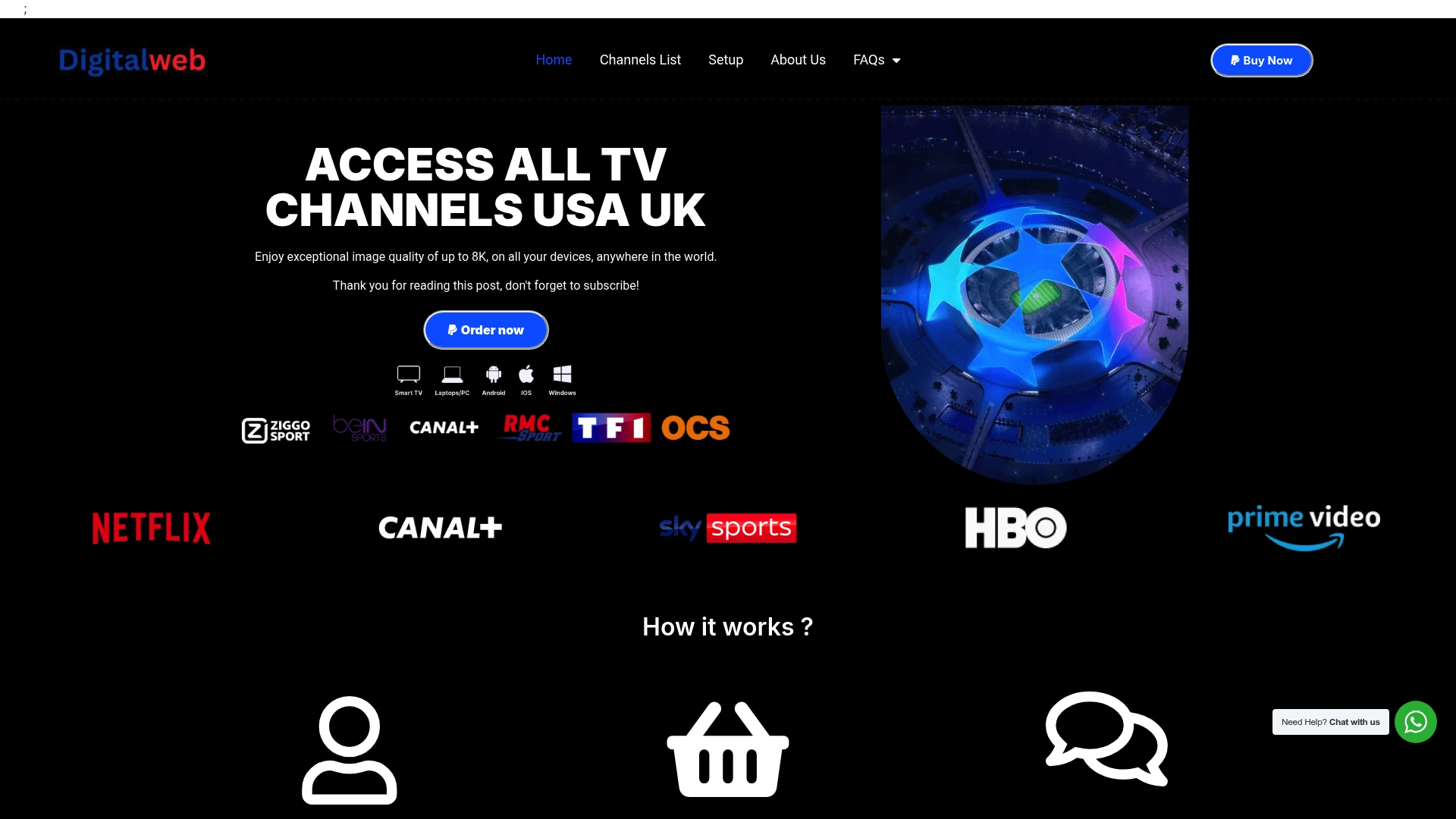
Setup mirrors the same process you just learned for VLC or TiviMate, only without the guesswork over which source is current this week. Technical support is available seven days a week if something doesn’t load correctly on your device. Browse the full channels list to see what’s included, or head to the setup page to get your device connected today.
Frequently Asked Questions
What’s the difference between M3U and M3U8?
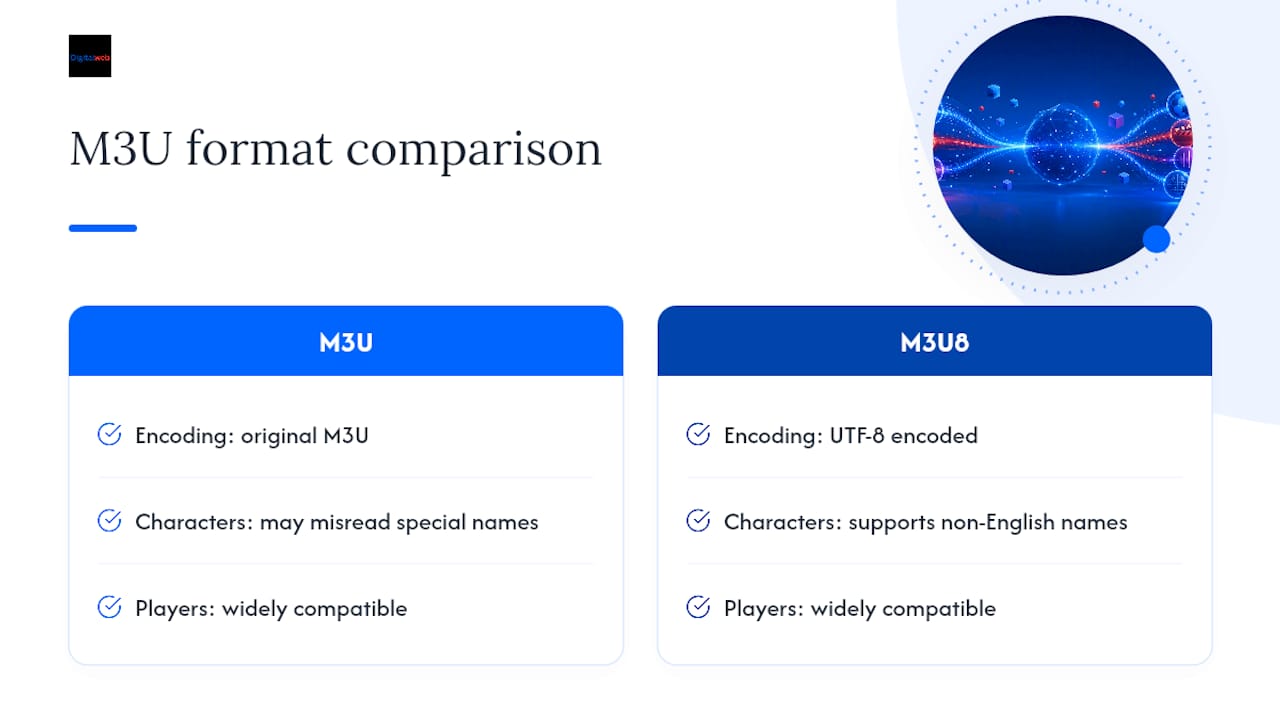
M3U8 is simply the UTF-8 encoded version of M3U, which matters for playlists containing non-English channel names or special characters. Most modern players treat both extensions interchangeably.
Can I use a free M3U playlist and a VPN together?
Yes, and it’s common practice when a broadcaster-hosted stream restricts access by region. A VPN changes your apparent location, which can restore access to geo-locked public streams, though it won’t fix a genuinely dead link.
Why do my channels have no program guide data?
This almost always means the tvg-id values in your M3U don’t match the IDs in your EPG (XMLTV) file. Double-check both files use the same naming convention for the same channel.
How often should I update my M3U playlist?
Check monthly at minimum, since free sources rotate dead links as broadcasters change their streaming infrastructure. Repositories with frequent commit activity, like iptv-org, tend to stay usable longer between manual checks.
Is it safe to load any M3U URL I find online?
No. Unverified URLs from unknown domains occasionally point to malicious redirects or rehosted paid content. Stick to sources with visible maintenance history and clear documentation of where their streams originate.
This article is general information, not a substitute for advice from a qualified lawyer. Consult a qualified legal professional about your own circumstances before acting on anything here.
Sources
Community repositories earn trust through visible maintenance, not marketing copy. Before you load anything, check three things: when it was last updated, where the streams originate, and whether the maintainers publish any usage notes.
Look for a visible README, an explicit license note, and EPG availability before you trust any source. A repository with no commits in over a year is a red flag regardless of how many channels it claims.
Pro Tip: Skip anything billed as a “mega-list” of thousands of unrelated channels. Smaller, country-sliced playlists load faster and are far easier to audit for dead or geo-locked streams.