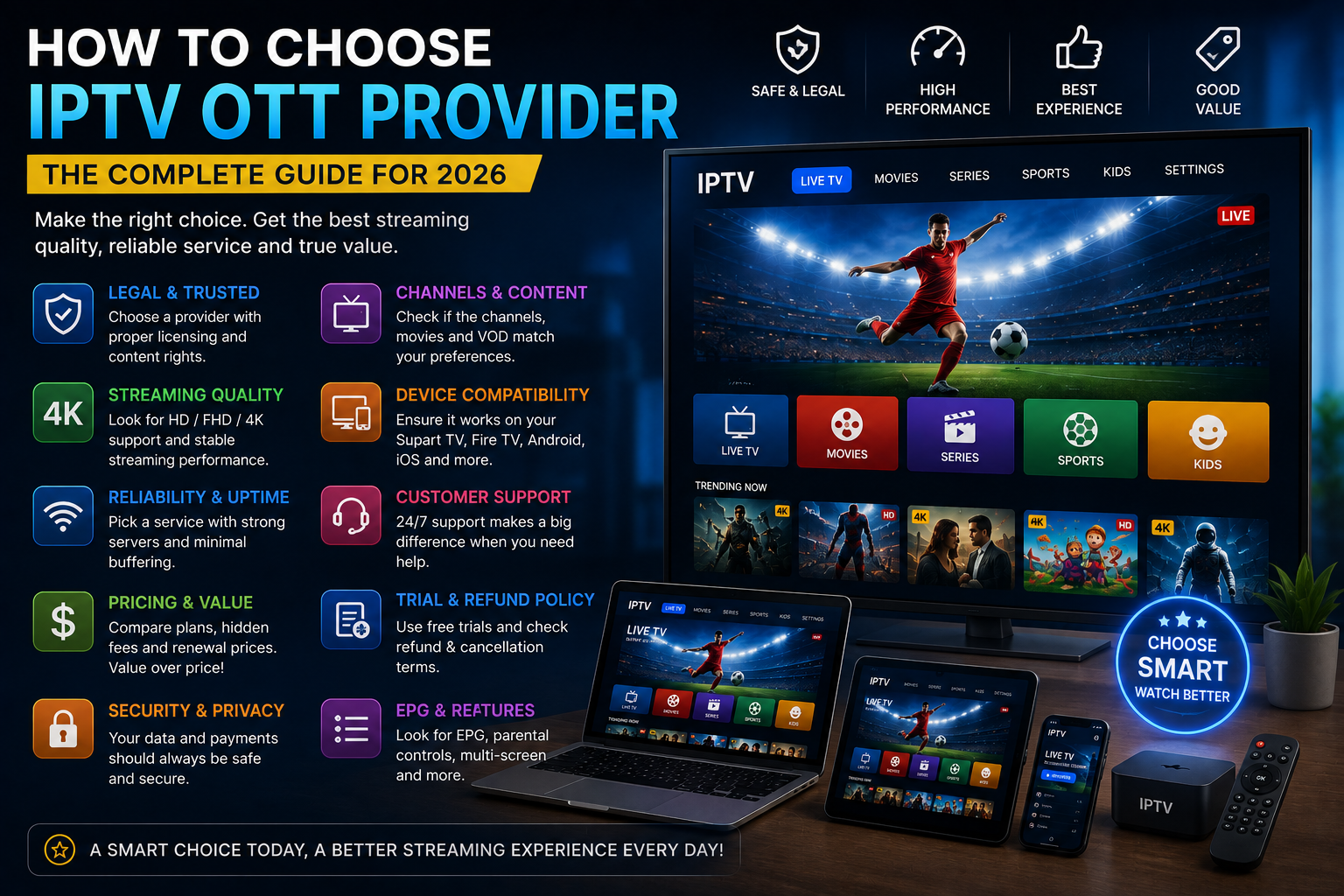
Choosing an IPTV or OTT provider can be confusing, especially with so many services promising high-quality streaming, large content libraries, 4K video, multiple devices, and affordable subscriptions.
However, the best IPTV OTT provider is not necessarily the one advertising the largest number of channels or the lowest price.
A better approach is to evaluate the service from several perspectives: content rights, streaming quality, device compatibility, reliability, security, pricing, customer support, and subscription transparency.
This guide explains how to choose an IPTV OTT provider and what you should check before committing to a subscription.
What Is an IPTV OTT Provider?
Before comparing providers, it helps to understand the difference between IPTV and OTT.
IPTV, or Internet Protocol Television, refers broadly to television services delivered using IP-based networks.
OTT, or Over-the-Top content, generally refers to video delivered over the internet directly to viewers without relying on a traditional television distribution network.
In practical terms, both concepts are part of the broader shift toward internet-based television and streaming.
However, the technology itself does not determine whether a particular service is authorized to distribute the content it offers.
That is why choosing a provider should involve more than technical specifications.
How to Choose an IPTV OTT Provider
There are several factors worth evaluating before subscribing.
1. Check Content Rights and Licensing
One of the most important factors is whether the provider has the appropriate rights to distribute the content it offers.
A service may advertise thousands of channels, movies, or sports events, but the number of available programs is not enough to establish that the service is properly authorized.
If you are evaluating a provider, look for clear information about:
- The company operating the service
- Content distribution rights
- Licensing information where applicable
- Terms and conditions
- Company contact details
- Geographic availability
For UK-focused services, licensing and regulatory requirements can vary according to the type of service. Ofcom provides information about television licensing, digital television services, and regulated electronic programme guides.
A transparent provider should be able to explain its service clearly.
2. Evaluate Streaming Quality
Streaming quality is one of the most important practical factors.
A provider may advertise HD or 4K, but the actual viewing experience depends on several components.
Consider:
- Video resolution
- Bitrate
- Encoding quality
- Network stability
- Application performance
- Device capabilities
- Content source
During a trial or demonstration, test several types of content rather than judging the service from a single channel.
Look for:
- Smooth playback
- Clear image quality
- Consistent resolution
- Fast channel switching
- Minimal buffering
3. Look for Genuine 4K Support
If 4K is important to you, do not assume that a provider advertising “4K IPTV” delivers every channel in native 4K.
A complete 4K setup requires:
- A genuine 4K source
- A 4K display
- Compatible hardware
- A suitable application
- Sufficient bandwidth
- Stable connectivity
A 4K television can upscale lower-resolution video, but that does not make the original source native 4K.
If you are interested in the technical side of 4K streaming, explore our 4K IPTV guide if available on the site.
4. Check Device Compatibility
A good IPTV OTT provider should clearly explain which platforms it supports.
Depending on the service, compatibility may include:
- Smart TVs
- Fire TV
- Android TV
- Android smartphones
- iPhone
- iPad
- Apple TV
- Windows
- macOS
- Compatible streaming devices
Do not assume that a service working on one device will necessarily provide the same experience on another.
For example, an application designed for Android may have different features from an application designed for iOS.
If you primarily watch television on an iPhone, see our guide to IPTV on iPhone for additional information.
5. Check Application Compatibility
The IPTV service and the IPTV application are not necessarily the same thing.
A provider may rely on a third-party application or provide its own software.
Before subscribing, determine:
- Which application is required
- Which platforms are supported
- Whether the application is maintained
- Whether EPG functionality is supported
- Whether subtitles are supported
- Whether multiple profiles are available
- Whether parental controls are available where relevant
Applications should preferably be obtained from official and trusted sources.
6. Evaluate Internet Requirements
Your internet connection has a major influence on streaming performance.
As a general guide:
| Video Quality | Approximate Starting Speed |
|---|---|
| SD | 5 Mbps+ |
| HD | 10 Mbps+ |
| Full HD | 15 Mbps+ |
| 4K | 25 Mbps+ |
These numbers are general guidelines rather than guarantees.
Performance can also depend on:
- Wi-Fi signal
- Router performance
- Network congestion
- Number of connected devices
- Video bitrate
- Streaming device
- Content source
Ofcom’s information on internet-delivered television also highlights the importance of broadband performance and network conditions for internet-based viewing.
For a broader comparison of internet television and conventional broadcasting, you can read our guide to IPTV vs Traditional TV.
7. Test Reliability and Stability
A service can have excellent picture quality but still be frustrating if it frequently stops or disconnects.
When evaluating an IPTV OTT provider, consider:
Buffering
Does video repeatedly stop to load?
Freezing
Does playback freeze during normal viewing?
Channel Switching
How quickly does the application move between channels?
Connection Stability
Does the service remain stable during longer viewing sessions?
Peak-Time Performance
Does the service remain reliable during busy periods?
A short test is useful, but longer testing can provide a better picture of real-world performance.
8. Examine the Electronic Program Guide
An Electronic Program Guide, or EPG, can make live television much easier to navigate.
A useful EPG may show:
- Current program
- Upcoming programs
- Program descriptions
- Start and end times
- Channel information
However, EPG availability and regulation can vary depending on the service and jurisdiction.
Ofcom defines a regulated EPG as a service involving programme listings or promotion and access to the listed programme services.
If an EPG is important to you, check whether it is included and whether the information is accurate.
9. Review the Content Library
Do not choose a provider simply because it advertises a huge content library.
Instead, ask:
Does it provide the content I actually want?
Consider:
- Local channels
- International channels
- News
- Entertainment
- Documentaries
- Movies
- Series
- Sports
- Children’s programming
More content does not automatically mean better value.
Quality, relevance, reliability, and authorization matter too.
10. Check Multiple-Device Policies
A provider may support several device types without allowing several devices to stream simultaneously.
For example, a subscription could support:
- Smart TV
- iPhone
- Android
- Fire TV
- Tablet
while limiting the number of simultaneous streams.
Before subscribing, check:
- Number of supported devices
- Number of simultaneous streams
- Whether additional connections cost extra
- Whether account sharing is permitted
Understanding these conditions can prevent problems later.
11. Compare Pricing Carefully
Price is important, but it should not be the only factor.
When comparing subscriptions, calculate the actual total cost.
Check:
- Monthly price
- Annual price
- Setup fees
- Additional connection fees
- Taxes
- Renewal price
- Cancellation conditions
A low introductory price may not represent the actual long-term cost.
A useful rule is:
Compare total cost, not just the advertised starting price.
Ofcom’s consumer guidance similarly encourages consumers to check what they actually need and compare the full cost of a communications package, including extras.
12. Understand Free Trials
If a provider offers an IPTV free trial, use it as an opportunity to test the service rather than simply assuming that the full subscription will be perfect.
During the trial, check:
- Streaming quality
- Stability
- Device compatibility
- Application performance
- Content availability
- EPG
- Customer support
Also check what happens when the trial ends.
Ask:
Does it automatically become a paid subscription?
What is the renewal price?
How do I cancel?
Clear subscription terms are an important part of evaluating a provider.
13. Check Customer Support
Customer support can become especially important when you have:
- Login problems
- Application issues
- Playback problems
- Billing questions
- Device compatibility questions
Look for a provider that clearly explains how customers can get help.
Possible support channels include:
- Help center
- Support tickets
- Live chat
Do not assume that a provider has good support simply because a website displays a support badge.
The quality of the response matters more than the number of support options.
14. Examine Privacy and Security
Before entering personal information, review the provider’s privacy practices.
Look for:
- Privacy policy
- Terms of service
- Secure payment processing
- Company information
- Contact information
- Data-handling information
Avoid providing unnecessary sensitive information to websites that do not clearly explain who operates them or how customer data is handled.
15. Check the Company’s Transparency
A transparent IPTV OTT provider should make basic business information easy to find.
Look for:
- Company name
- Contact information
- Business location where appropriate
- Terms and conditions
- Privacy policy
- Refund policy
- Subscription details
A website with no meaningful information about the company behind the service deserves additional scrutiny.
16. Read the Cancellation and Refund Policy
Before paying, understand what happens if you change your mind.
Check:
- Cancellation process
- Refund eligibility
- Refund period
- Renewal terms
- Trial conversion
- Recurring billing
Do not wait until after a problem occurs to look for the cancellation policy.
Understanding the terms before purchasing makes the decision much easier.
17. Consider Regional Availability
IPTV and OTT services can have different content rights in different countries.
A provider may offer certain programming in one country but not another.
Before subscribing, check:
- Country availability
- Regional restrictions
- Local content
- Language options
- Sports rights
- Channel availability
This is particularly important for users who travel or frequently watch international content.
18. Don’t Judge a Provider by Channel Count Alone
One of the most common mistakes is focusing on channel numbers.
For example, a provider advertising an extremely large channel list may sound attractive.
But ask:
- Are the channels actually available?
- Is the programming relevant?
- Is the quality consistent?
- Is the content authorized?
- Does the application work well?
- Is the service reliable?
A smaller, transparent and well-supported service can provide a better experience than a service built around exaggerated numbers.
IPTV OTT Provider Comparison Checklist
Use this checklist when comparing providers:
| Factor | What to Check |
|---|---|
| Licensing | Are content rights explained? |
| Content | Does it provide what you need? |
| Quality | HD, Full HD or genuine 4K? |
| Stability | Does playback remain reliable? |
| Devices | Are your devices supported? |
| Application | Is the required app compatible? |
| EPG | Is a useful program guide available? |
| Connections | How many simultaneous streams? |
| Price | What is the total cost? |
| Renewal | What happens when the plan expires? |
| Cancellation | Is the process clear? |
| Refund | Are refund terms published? |
| Privacy | Is data handling explained? |
| Support | Can you reach the provider? |
| Transparency | Is company information available? |
Red Flags to Watch For
When researching an IPTV OTT provider, be cautious if you encounter:
Unclear Company Information
You cannot determine who operates the service.
Unrealistic Claims
The provider makes promises that are difficult to verify.
No Terms or Privacy Policy
Important legal and customer information is missing.
Unclear Pricing
The initial price is displayed prominently but renewal costs are difficult to find.
Unclear Cancellation
There is no obvious way to cancel.
No Information About Content Rights
The provider gives no meaningful information about its authorization to distribute programming.
Poor Customer Support
Questions about billing, content or compatibility receive vague answers.
These warning signs do not automatically prove that a service is illegitimate, but they are reasons to investigate further.
How to Choose an IPTV OTT Provider Step by Step
If you want a simple process, follow these steps.
Step 1: Define Your Requirements
Write down:
- Devices
- Content categories
- Resolution
- Budget
- Number of users
Step 2: Check Compatibility
Make sure the service works with your preferred devices and application.
Step 3: Investigate Content Rights
Look for clear information about authorized distribution.
Step 4: Compare Total Pricing
Include renewal costs and additional fees.
Step 5: Use a Trial When Available
Test the service under normal viewing conditions.
Step 6: Test Streaming Stability
Try different content and different times.
Step 7: Review the Terms
Read cancellation, renewal, privacy and refund policies.
Step 8: Evaluate Support
Ask a normal technical question before purchasing.
Step 9: Make Your Decision
Choose based on the complete experience rather than one marketing claim.
IPTV vs OTT: Which Should You Choose?
IPTV and OTT are sometimes used interchangeably in casual discussions, but they can describe different delivery models.
Traditional IPTV services can operate over managed networks, while OTT services are commonly delivered over the public internet.
For viewers, the more useful question is often not simply:
“Is this IPTV or OTT?”
Instead ask:
“Does this service provide the content, quality, compatibility and reliability I need?”
Your viewing experience ultimately depends on the specific platform and service.
Frequently Asked Questions
What is an IPTV OTT provider?
An IPTV OTT provider delivers television or video content through internet-based technology. The exact delivery model, applications, content and service conditions vary between providers.
How do I choose an IPTV OTT provider?
Evaluate content authorization, streaming quality, device compatibility, application support, reliability, pricing, customer support, privacy and subscription terms.
What should I check before subscribing?
Check the company’s identity, content rights, supported devices, video quality, pricing, renewal conditions, cancellation policy, refund policy and customer support.
Is 4K important when choosing an IPTV provider?
If you have a 4K television, genuine 4K source content can be important. However, your display, device, application and internet connection must also support the required quality.
How many internet connections do I need?
That depends on how many people and devices will stream simultaneously. Always check the provider’s simultaneous-stream policy.
Should I use an IPTV free trial?
A trial can be useful for evaluating compatibility, stability, application performance and picture quality before making a longer commitment.
Is IPTV legal?
IPTV is a technology. The legality of an individual service depends on how it operates, what content it distributes, its rights to distribute that content, and applicable laws.
What is the biggest mistake when choosing an IPTV provider?
Focusing only on price or channel count. A better approach is to evaluate the entire service, including reliability, transparency, compatibility, content rights and customer support.
Final Thoughts: How to Choose an IPTV OTT Provider
Choosing the right IPTV OTT provider requires more than comparing prices or counting channels.
A reliable evaluation should consider:
Content rights
Streaming quality
4K support
Device compatibility
Application performance
Internet requirements
Reliability
Pricing
Customer support
Privacy
Cancellation and refund terms
Company transparency
If a provider is clear about its business, content authorization, pricing and service conditions, it is easier for consumers to make an informed decision.
Whether you plan to watch on a Smart TV, Fire TV, Android device, iPhone, Apple TV, PC or another compatible platform, start by identifying your requirements and then compare providers against the same checklist.
For more IPTV information and practical guides, explore DigitalWebb01 and its resources on IPTV devices, streaming technology and connected television.